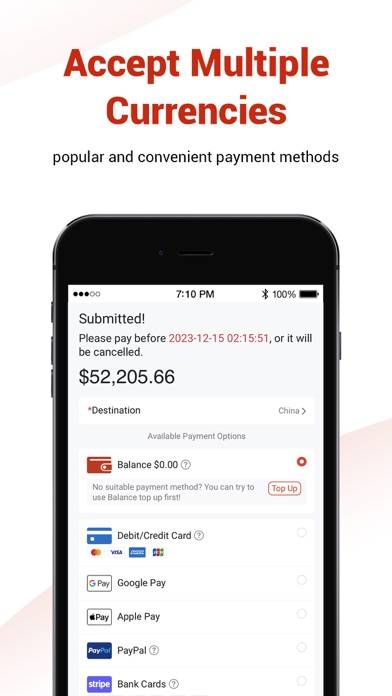
To withdraw money from your CNfans account, you need to navigate to the "Balance" section within your user center, click the "Withdraw" button, select your withdrawal method (typically PayPal), enter the amount you wish to withdraw, and submit the request. The funds must be in your available balance, which comes from top-ups or refunds, and processing usually takes a few business days.

Table of Contents
- What is Your CNfans Account Balance?
- Where Can I Find My Account Balance?
- How Do I Initiate a Withdrawal from My CNfans Account?
- Which Withdrawal Methods Are Available?
- Are There Any Fees Associated with Withdrawals?
- How Long Does a CNfans Withdrawal Typically Take?
- What is the Difference Between a Withdrawal and a Refund?
- Why Might a Withdrawal Request Be Rejected?
- How Can I Track the Status of My Withdrawal?
- Can I Cancel a Pending Withdrawal Request?
- How to Better Manage Your CNfans Finances?
What is Your CNfans Account Balance?
Your CNfans account balance is the total amount of funds available in your virtual wallet on the platform. This money is not a credit from the company; it is your own money held in your account for making purchases and paying for shipping. The balance can be funded in two primary ways: by topping up your account directly using a payment method like PayPal or a credit card, or by receiving refunds from canceled orders, returned items, or adjustments in shipping costs.
Think of the account balance as a convenient pool of money that streamlines the shopping process. Instead of entering payment details for every single purchase or shipping fee, you can use your pre-loaded balance for quick and easy transactions. Understanding that this balance is your asset is the first step in knowing how and when you can retrieve it.
Where Can I Find My Account Balance?
Locating your account balance is straightforward. You must first be logged into your CNfans account. Once you are on the main dashboard, look for a section typically labeled "User Center," "My Account," or an icon representing your profile. Clicking this will take you to your personal account overview page.
On this page, your available balance is usually displayed prominently, often near your username and profile information. It will be clearly marked as "Balance" or "Account Balance." This figure represents the total funds you can either use for future services or request to withdraw. It's a good practice to check this area regularly, especially after receiving a refund for an item, to ensure the amount has been correctly credited to your account.
How Do I Initiate a Withdrawal from My CNfans Account?
Requesting a withdrawal is a deliberate process designed to ensure the security of your funds. It involves a few key steps within your account dashboard to move the money from your CNfans wallet to your personal payment account.
Step-by-Step Withdrawal Process
To begin the process, follow these actions carefully:
- Navigate to the Balance Page: After logging in, go to your "User Center" and click on the "Balance" section.
- Locate the Withdraw Button: On the balance management page, you will see your total funds. Look for a button clearly labeled "Withdraw" or "Withdrawal." Click it to proceed.
- Select a Withdrawal Method: You will be prompted to choose how you want to receive your money. Typically, the primary method offered is PayPal.
- Enter Withdrawal Details: You must fill in the required information. This includes the amount you wish to withdraw and the details of your receiving account (e.g., your PayPal email address).
- Review and Submit: Before finalizing the request, double-check all the information you have entered. An incorrect PayPal email is a common reason for failed transactions. Once you are certain everything is correct, submit the withdrawal request.
Filling Out the Withdrawal Form Correctly
Accuracy is critical when filling out the withdrawal form. Ensure the withdrawal amount does not exceed your available balance. Most importantly, verify that your PayPal account email address is typed correctly, character for character. It is also wise to ensure that the name on your CNfans account and the name on your PayPal account have some similarity, as significant discrepancies can sometimes trigger security reviews.
Which Withdrawal Methods Are Available?
CNfans primarily facilitates withdrawals through widely used and trusted online payment processors. While options can evolve, the most consistent and standard method is PayPal. This allows for relatively quick and secure international money transfers. It's important to have a verified PayPal account ready to ensure a smooth transaction.
Below is a table outlining the common withdrawal method and key considerations.
| Method | Supported Currencies | Key Considerations |
|---|---|---|
| PayPal | USD, EUR, etc. (Conversion handled by PayPal) | Requires a valid and verified PayPal account. Ensure your PayPal email is correct. Be aware of potential receiving or currency conversion fees from PayPal's end. |
Are There Any Fees Associated with Withdrawals?
Yes, there can be fees involved when you withdraw your balance. It's important to differentiate between fees charged by CNfans and those charged by the payment processor. CNfans may charge a small service or processing fee for handling the withdrawal. This fee is usually a small percentage of the transaction amount or a flat rate and will be disclosed during the withdrawal process.
Additionally, the receiving platform, such as PayPal, may impose its own fees. These can include a fee for receiving funds (especially for business accounts) or a currency conversion fee if the money sent by CNfans (often in USD) is converted into your local currency. You should check PayPal’s fee structure to understand the full cost of the transaction.
How Long Does a CNfans Withdrawal Typically Take?
Patience is key after submitting a withdrawal request. The process is not instantaneous. CNfans staff must manually review and approve each withdrawal request to prevent fraud and ensure accuracy. This internal review process usually takes 1 to 3 business days.
Once CNfans approves and processes the payment, the funds are sent to your PayPal account. This part of the transfer is typically very fast, often appearing in your PayPal balance within minutes to a few hours. Therefore, a realistic total timeframe from request to receipt of funds is approximately 24 to 72 hours on business days. Delays can occur during weekends, public holidays, or if your request requires additional verification.
What is the Difference Between a Withdrawal and a Refund?
Understanding the distinction between a withdrawal and a refund is crucial for managing your account. A refund is a specific transaction where money for a canceled order, a returned item, or a shipping overcharge is returned to your CNfans account balance. The money moves from being allocated to an order back into your available wallet.
A withdrawal, on the other hand, is the action you take to move money out of your CNfans account balance and into your personal account (like PayPal). You can only withdraw funds that are sitting in your available balance. So, the typical flow is: an item is returned → a refund is issued to your CNfans balance → you initiate a withdrawal to get that money back into your own hands.
Why Might a Withdrawal Request Be Rejected?
A rejected withdrawal request can be frustrating, but it usually happens for specific, correctable reasons. The most common causes include:
- Incorrect Information: Typing the wrong PayPal email address is the most frequent error. Even a single misplaced letter will cause the transaction to fail.
- Insufficient Funds: Requesting to withdraw more money than is currently in your available balance.
- Account Mismatch: Significant discrepancies between the name on your CNfans account and your PayPal account might trigger a security flag, leading to rejection or a request for verification.
- Policy Violation: Attempting to withdraw funds that are on hold or linked to a disputed transaction may result in rejection.
- Unverified Payment Account: Using a new or unverified PayPal account can sometimes cause issues. Ensure your PayPal account is fully set up and verified before requesting a withdrawal.
If your request is rejected, CNfans will typically provide a reason. Review it carefully, correct the issue, and you can submit the request again.
How Can I Track the Status of My Withdrawal?
CNfans provides a way to monitor the status of your withdrawal request. Within your "User Center," look for a subsection under "Balance" or "My Account" labeled "Withdrawal History" or "Transaction Records."
This section will list all your past and pending withdrawal requests. Each entry will typically show the date, amount, and a status. Common statuses include "Pending," "Under Review," "Processing," "Completed," or "Rejected." Checking this page is the best way to get real-time updates on where your request stands in the approval process.
Can I Cancel a Pending Withdrawal Request?
In some cases, you may be able to cancel a withdrawal request, but only if it has not yet been processed by the CNfans finance team. If you realize you made a mistake—like entering the wrong amount or PayPal email—you should immediately navigate to the "Withdrawal History" section of your account.
If the request status is still "Pending" or "Under Review," you may see a "Cancel" button next to the transaction. If you click it, the funds will be returned to your available balance immediately. If the status has changed to "Processing" or "Completed," it is too late to cancel the request through the system, as the transfer is already underway.
How to Better Manage Your CNfans Finances?
For users who frequently place orders, handle multiple returns, and manage various international shipping payments, keeping track of every transaction can become complex. While the CNfans dashboard provides essential information, a more powerful tool can offer greater clarity and control over your spending and returns.
To gain a comprehensive view of your finances, consider using a dedicated management solution. The tool available at CNfans Google Sheet Tool is designed for this exact purpose. It allows you to import and organize all your order data, shipping fees, refunds, and withdrawals into a single, easy-to-read spreadsheet. This enables you to accurately track your total expenditures, monitor refund statuses, and reconcile your account balance with precision, transforming a complex financial trail into a clear and manageable record.