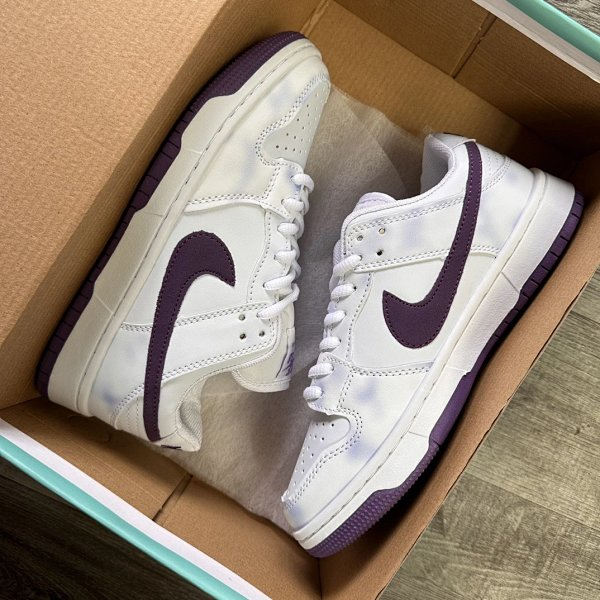
To join the community behind the CNfans spreadsheet, you must first locate the official Discord invitation link on the cnfan-spreadsheet.com website. Once you find the link, click to accept the invitation, which will open the Discord application. Upon entering the server, you will need to complete a simple verification process to gain full access to all channels and start interacting with other members.

Table of Contents
- What Exactly Is the CNfans Community?
- Why Should You Join the CNfans Community?
- How Can You Join the CNfans Discord Server?
- What Are the Key Rules and Etiquette to Follow?
- How Do You Navigate the CNfans Discord for the First Time?
- Who Makes Up the CNfans Community?
- What if the Discord Link Isn’t Working?
What Exactly Is the CNfans Community?
The CNfans community is the dynamic group of users, enthusiasts, and contributors who power the ecosystem around the CNfans Spreadsheet. While the spreadsheet itself is a powerful tool for discovering and organizing product finds from international shopping platforms, the community is the human engine that keeps it running. It is a vibrant hub where members share new discoveries, offer advice, and collaborate on finding the best items available.
This community primarily resides on a dedicated Discord server. This platform was chosen for its real-time chat capabilities, allowing for instant communication, sharing of images, and organized discussions across various channels. It serves as the central meeting point for everyone, from newcomers asking their first questions to seasoned veterans sharing expert-level insights and contributing directly to the spreadsheet's updates.
Why Should You Join the CNfans Community?
Joining the CNfans community offers substantial benefits that go far beyond just accessing the spreadsheet. Members gain an edge through collective knowledge. You get access to *exclusive finds* that may not have made it to the public spreadsheet yet, as members often share their latest discoveries in real-time within the Discord channels. This gives you a first look at new and interesting products.
Furthermore, the community is an invaluable support system. If you are uncertain about a product's quality, you can ask for a quality check (QC) from experienced members who can spot subtle flaws or confirm an item's high quality. You can also receive assistance with shipping logistics, agent selection, and sizing questions. This collaborative environment minimizes the risks and uncertainties of international shopping. Members also benefit from community-exclusive events, such as giveaways and contests, that add an extra layer of engagement and reward.
How Can You Join the CNfans Discord Server?
Joining the official Discord server is a straightforward process designed to be quick and secure. Following these steps ensures you land in the correct, official community and can start participating right away.
Step 1: Locating the Official Invitation Link
The only trustworthy source for the community invitation is the official CNfans website. Scammers may create fake servers, so it is critical to get the link directly from the source. Navigate to the cnfan-spreadsheet.com website and look for a "Discord" or "Community" button. These links are typically located in prominent places such as the main navigation menu at the top of the page or in the footer at the bottom.
Once you locate the link, click on it. This action will redirect you to Discord's invitation acceptance page. Using the official link is the most important step for ensuring your security and that you are joining the legitimate community.
Step 2: Accepting the Invite and Setting Up Discord
After clicking the official link, a new browser tab or the Discord application will open, displaying an invitation to join the CNfans server. If you already have a Discord account and are logged in, you simply need to click the "Accept Invite" button. If you are new to Discord, you will be prompted to create a free account first by choosing a username and providing an email address and password. The process is quick and intuitive.
You can use Discord through its web browser interface, a dedicated desktop application (for Windows or macOS), or a mobile app (for iOS and Android). For the best experience with notifications and voice chat features, downloading the application is often recommended.
Step 3: Completing the Verification Process
Upon joining the server, you may find that your access is limited. This is a standard security measure to prevent bots and spam. You will be directed to a #verification channel. In this channel, there will be simple instructions to follow. This usually involves reading the server rules and then reacting to a message with a specific emoji to confirm you have read them.
Completing this verification step is mandatory. Once you react as instructed, an automated system will grant you roles that unlock the rest of the server's channels. You will then be able to see all discussion channels, participate in conversations, and access the full range of community resources.
What Are the Key Rules and Etiquette to Follow?
To maintain a positive and productive environment, the CNfans community has a set of rules and unwritten etiquette that all members are expected to follow. These guidelines are typically found in a #rules channel and are essential reading for every new member. Common rules include prohibitions against spamming, harassment, and posting not-safe-for-work (NSFW) content in general channels.
Beyond the formal rules, good etiquette is crucial. Before asking a question, use the search function to see if it has been answered before. When asking for help, be specific and provide all relevant information, such as links or images. Be respectful of others' opinions, even if you disagree. Remember that the community is built on mutual assistance, so try to contribute and help others when you can. A positive and helpful attitude will ensure you have a much better experience.
How Do You Navigate the CNfans Discord for the First Time?
A large Discord server can seem overwhelming initially, but the CNfans server is structured logically to make navigation easy. Channels are organized by category on the left-hand side. Take a few minutes to scroll through the channel list to get a feel for the layout. Categories might include "Information," "General Discussion," "Shopping Help," and "Community Finds."
Understanding Key Channels
Certain channels are fundamental to the server experience. Start by familiarizing yourself with these to get the most out of the community. Each channel serves a distinct purpose, helping to keep conversations organized and easy to follow.
| Channel Name | Purpose | What to Do There |
|---|---|---|
| #announcements | Official updates from the server staff. | Check here for important news, spreadsheet updates, and giveaway announcements. |
| #rules-and-info | Server rules and helpful information. | Read this channel first to understand community guidelines. |
| #general-chat | Open discussion on various topics. | Engage in casual conversation with other community members. |
| #qc-help | Quality check assistance. | Post photos of items from your agent's warehouse for feedback on quality. |
| #finds | Sharing new product discoveries. | Post links and images of cool items you have found. |
Finding Product Links and W2C
One of the primary activities in the community is sharing and finding "W2C" (Where to Cop) links for products. The #finds channel is a constant stream of new discoveries shared by members. If you are looking for a specific item, you can use the Discord search bar at the top right. Type in keywords related to the item, and you can filter results to specific channels.
If your search yields no results, you can post a picture of the item you're looking for in a designated channel, often named something like #item-request. Members who recognize the item or know where to find it can then reply with a link or relevant information. This collaborative searching is a cornerstone of the community's value.
Participating in Community Events
The CNfans community is more than just a resource for shopping; it is also a place for interaction and fun. The administrators and moderators frequently organize events to boost engagement. These can include giveaways for popular items, shopping credits with agents, or even unique roles within the Discord server.
Keep an eye on the #announcements or a dedicated #events channel for information on how to participate. Participation is usually simple, often requiring you to react to a message or engage in a specific channel. These events are a great way to get more involved and potentially win valuable prizes.
Who Makes Up the CNfans Community?
The CNfans community is a diverse and global group. It includes savvy bargain hunters looking for the best deals, fashion enthusiasts trying to find unique or high-quality replica clothing and accessories, and hobbyists who enjoy the thrill of discovering new products. You will find people from all walks of life and levels of experience.
This diversity is a major strength. Newcomers can learn from the vast experience of veteran members who have been navigating the international shopping landscape for years. In turn, new members often bring fresh perspectives and discover unique items that veterans might have missed. This creates a dynamic and ever-evolving environment where everyone has something to contribute and learn.
What if the Discord Link Isn’t Working?
Occasionally, a Discord invitation link may expire or be temporarily disabled. If you click the link on the official website and receive an "Invalid Invite" error, do not seek out links from other sources. Unofficial links can lead to fraudulent servers or security risks.
The best course of action is to wait. The administrators of the CNfans Spreadsheet community are typically quick to update the link. You can try checking back on the website in a few hours or the next day. If the problem persists, see if the website has a contact form or support email where you can politely report the issue. Patience is key, as ensuring you join the official server is paramount for a safe and authentic experience.