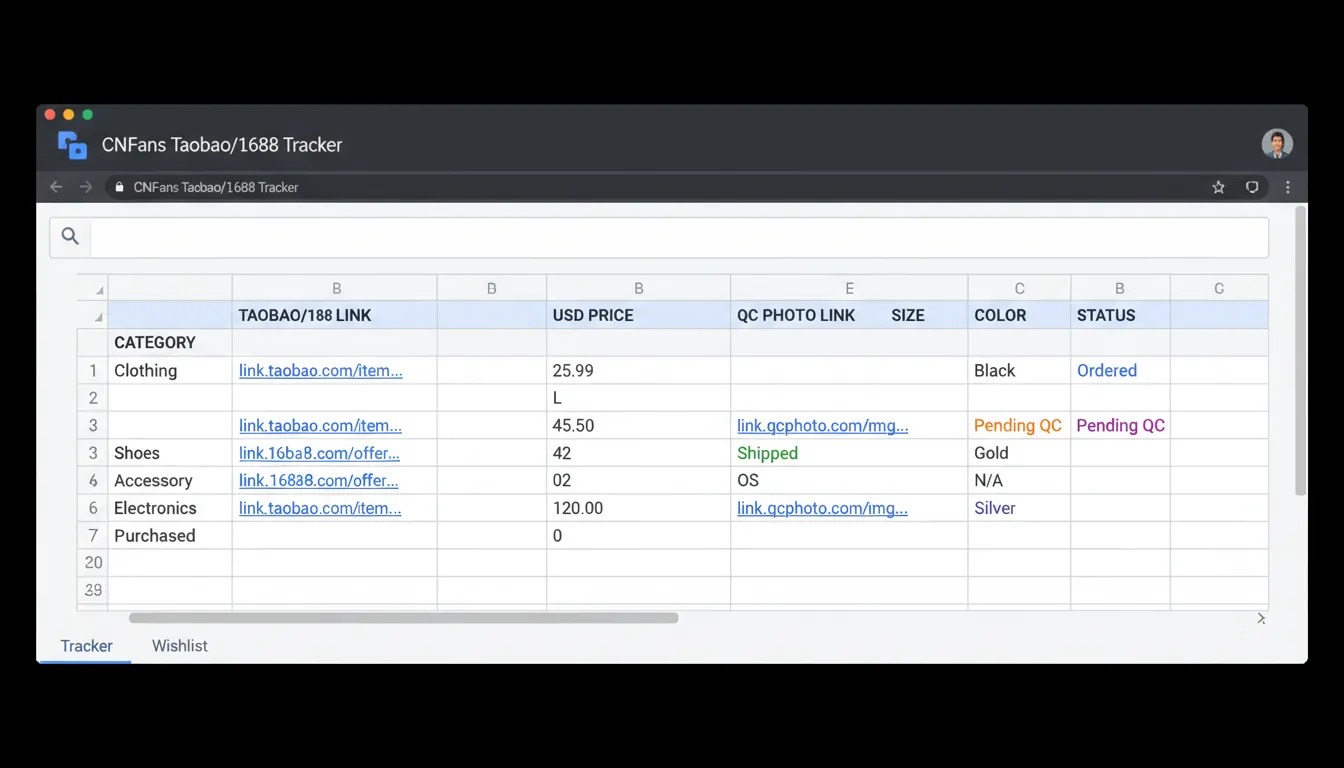
You’re halfway through building a haul when the same questions keep popping up: Is this link still alive? What did I pay in USD? Did I save the QC photos? Which size did I choose? That’s exactly where cnfans spreadsheets earn their reputation—turning scattered finds into a clear, trackable system. I’ve used them to compare batches, avoid dead links, and keep my cart decisions consistent when I’m buying across Taobao and 1688.
In this guide, you’ll learn what cnfans spreadsheets are in today’s ecosystem (including the shift to Kako-Sheets), which templates actually help, and how to set up a workflow that makes global shopping feel predictable.

What “cnfans spreadsheets” means (and why people rely on them)
In the rep/fashion and China-to-global buying community, cnfans spreadsheets usually refer to curated spreadsheets that catalog products with:
- Direct product links (often Taobao/1688)
- QC photo links (so you can judge before you ship)
- Clear USD pricing (to reduce guesswork)
- Category organization (shoes, hoodies, jerseys, accessories, etc.)
CNFans Spreadsheet, specifically, is known for a large, curated list (10,000+ items) that’s maintained and updated so users aren’t forced to hunt through fragmented posts. While the underlying purchasing agent services have been integrated into Kako-Sheets, the key value remains: a centralized hub of items with reliable QC links and pricing context.
For broader context on spreadsheet-driven workflows and collaboration patterns, Google Sheets-style real-time editing and version history is a common expectation (as described in this type of overview content: Unlocking the Power of Spreadsheets).
The 6 top cnfans spreadsheets templates (and what each one tracks)
Not every tracker needs to be complex. The best cnfans spreadsheets templates are purpose-built: one sheet for discovery, one for decisions, one for delivery. Below are the templates I see people stick with long-term.
1) “Finds + QC Review” template (fast discovery, fewer regrets)
This template is for when you’re browsing and saving options quickly—but still want the discipline of checking QC before committing.
Track:
- Item name + category
- Source (Taobao/1688)
- USD price (at time of save)
- QC album link
- “QC verdict” (Pass/Maybe/Fail)
Why it works: You can review 20 candidates later and only buy the top 5, instead of impulse-buying and coping afterward.
2) “Haul Budget + Fees” template (real cost, not just item price)
Many buyers underestimate the all-in cost. This template forces clarity by separating item price from agent/shipping-related costs.
Include:
- Item subtotal
- Domestic shipping (China)
- Agent service fees
- International shipping estimate
- Buffer for exchanges/returns
If you want a strong baseline, Microsoft’s budgeting guidance explains why templates reduce calculation errors and speed up setup (Excel budget templates).
3) “Size & Fit Journal” template (your personal anti-mistake system)
This is the sleeper hit. The best cnfans spreadsheets aren’t just lists—they become your personal sizing dataset.
Log:
- Brand/model
- Size ordered
- Your height/weight/fit preference
- Outcome (too small, perfect, too big)
- Notes (toe room, shoulder width, inseam, etc.)
After 2–3 hauls, this sheet saves real money.
4) “Order Pipeline” template (from link → warehouse → shipped → delivered)
If you’ve ever lost track of what’s in “Purchased” vs “Arrived,” this is the fix. Keep it simple and status-driven.
Statuses to use:
- Saved
- Purchased
- Seller shipped
- Warehouse received
- QC received
- Packed
- International shipped
- Delivered
5) “Inventory & Resell” template (for small resellers or heavy collectors)
If you buy frequently or resell, you’ll want inventory discipline: SKU, condition, location, cost basis, and sale price. Smartsheet outlines the standard inventory columns that matter (item number, quantity, reorder level, value, etc.)—those translate well to fashion inventory too (small business inventory templates).
6) “KPI Dashboard” template (for power users tracking performance)
This is for people running group buys, content pages, or consistent reselling—anyone who wants performance metrics.
Common KPIs:
- Average item cost vs average shipping
- % QC pass rate
- Time-to-delivery trend
- Category spend breakdown
If you want examples of what a KPI dashboard should include (and why “less is more”), ProjectManager’s KPI guidance is a solid reference point (KPI dashboard examples).
BEST REP Spreadsheet for 2026 - #cnfans #cnfansfinds #cnfanshaul #spreadsheets
A practical “starter layout” you can copy (columns that actually matter)
The fastest way to improve cnfans spreadsheets is to standardize your columns so you can filter, sort, and compare without rework. Here’s a proven structure I use (and recommend) for most buyers:
| Column | What to enter | Example |
|---|---|---|
| Item | Simple name you’ll recognize later | “Retro Runner - Grey” |
| Category | Shoes / Hoodie / Tee / Bag / etc. | Shoes |
| Source | Taobao / 1688 / Other | 1688 |
| Product Link | Direct link to listing | (paste URL) |
| QC Link | Album or QC page | (paste URL) |
| Price (USD) | Price at time of saving | 42.00 |
| Size | Your intended size | EU 42 |
| Color | Colorway | Grey/White |
| Status | Saved/Purchased/Warehouse/Shipped | Purchased |
| Notes | Batch hints, concerns, alternatives | “Check heel shape in QC” |
Tip from experience: add a “Last Checked” date. Dead links happen, and a quick refresh keeps your list clean.
How to use cnfans spreadsheets with QC photos (a workflow that scales)
QC is where spreadsheets stop being “just lists” and become decision tools. My workflow is simple and repeatable:
- Save the item immediately (before you forget the tab).
- Add QC link + your criteria (stitching, logo placement, shape, tags).
- Score quickly (Pass/Maybe/Fail). Don’t overthink “Maybe.”
- Only move “Pass” items into your buy list.
- Archive fails so you don’t re-save the same bad listing next week.
This mirrors why spreadsheets are so effective for tracking and versioning: you can see changes, revert decisions, and collaborate if you’re building lists with friends (a common theme in spreadsheet collaboration tools discussed in guides like this one).

Common mistakes (and the fixes I’d use in a real spreadsheet audit)
Most cnfans spreadsheets problems aren’t about formulas—they’re about consistency.
-
Mistake: Tracking only item price
Fix: Add columns for domestic shipping, agent fees, and international shipping estimates. -
Mistake: No “Status” field
Fix: Use a simple dropdown. Status is the backbone of order clarity. -
Mistake: QC links missing or buried
Fix: Put QC next to product link, not in notes. Make it easy to click. -
Mistake: No sizing outcomes
Fix: Add a “Fit Result” field after delivery. This is how you improve over time. -
Mistake: Saving duplicates
Fix: Create a unique ID column (or use the link as a unique key) and filter duplicates monthly.
CNFans Spreadsheet vs general templates: what’s unique?
General spreadsheet templates (budgeting, inventory, project management) are useful foundations, but cnfans spreadsheets are specialized because they combine shopping discovery + QC evidence + pricing transparency in one view.
- Budget templates help you calculate and plan (good baseline: Excel budget templates).
- Inventory templates help you track stock/value (good structure: Smartsheet inventory templates).
- KPI dashboards help you monitor performance (good examples: ProjectManager KPI dashboards).
CNFans Spreadsheet-style lists bring those disciplines into the specific reality of Taobao/1688 sourcing: links change, QC matters, and “cheap” isn’t cheap once shipping hits.

Conclusion: make cnfans spreadsheets your “single source of truth”
By the time you’ve built your second or third haul, you’ll notice the same pattern: the people who enjoy the process aren’t guessing—they’re tracking. cnfans spreadsheets work because they turn global buying into a system: save, compare, QC, budget, ship, learn sizing, repeat. I’ve tried “just bookmarking links,” and it always collapses once you’re juggling multiple categories, prices, and QC checks.
If you want a smoother experience, start with one template today (Finds + QC Review), then add Budget + Order Pipeline as your next upgrade.
FAQ: cnfans spreadsheets (people also ask)
1) What are cnfans spreadsheets used for?
They’re used to track product finds from Taobao/1688 with QC photo links, USD pricing, and order statuses so you can compare items and manage hauls.
2) How do I track QC photos inside cnfans spreadsheets?
Add a dedicated “QC Link” column next to the product link, then add a “QC verdict” (Pass/Maybe/Fail) so you can filter quickly.
3) Are cnfans spreadsheets updated in real time?
Many community and curated sheets are frequently updated, but “real time” varies by source. Add a “Last Checked” date to avoid dead links.
4) What’s the best template for a first-time buyer?
A simple Finds + QC Review template with category, link, QC link, USD price, size, and a pass/fail decision field.
5) How do I budget accurately with cnfans spreadsheets?
Track all-in cost: item price, domestic shipping, agent/service fees, and international shipping. A pie chart breakdown helps you see where money actually goes.
6) Can I use Google Sheets or Excel for cnfans spreadsheets?
Yes. Google Sheets is great for sharing and collaboration, while Excel is excellent for offline work and deeper analysis—both support filters, formulas, and charts.
7) How do I avoid saving duplicate items?
Use the product link as a unique identifier, and regularly filter for duplicates. A monthly cleanup keeps your list usable.